







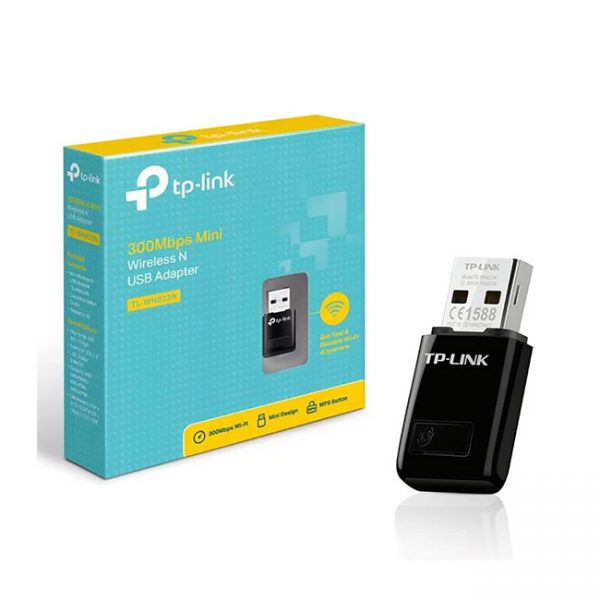


TP-Link TL-WN823N 300Mbps Mini Wireless N USB WiFi Adapter
- 300Mbps wireless speed ideal for smooth HD video, voice streaming and online gaming*
- Mini-sized design for convenient portability with a reliable high performance
- SoftAP Mode – Turn a wired internet connection to a PC or Laptop into a Wi-Fi hotspot
- Easily setup a secure wireless connection with one-touch WPS button
- 3 Months Warranty
Rs. 6,650.00
 Rs. 6,650.00
 Rs. 6,816.25
 Rs. 6,849.50
Pick up from the Toyo Store

Between 11PM to 6PM from Monday to Saturday
Same Day
Standard Courier delivery

Our courier will deliver to the specified address
2-5 Days
Toyo Express delivery

Xpress Delivery Available for Colombo 1-15 and selected suburbs only.
1-3 Days
100% Genuine Products (Authorized Seller)

Official Warranty Included

Payment Methods:

Description
TP-Link TL-WN823N 300Mbps Mini Wireless N USB WiFi Adapter
What This Product Does
TP-LINK’s 300Mbps Mini Wireless N USB Adapter TL-WN823N is designed to connect your laptop or desktop to a wireless network and enjoy high speed wireless performance. The fingertip design makes the adapter convenient and easy to carry around. What’s more, the TL-WN823N features SoftAP Mode, one-button security setup, easy-to-use configuration software, making it a great choice for enjoying fast wireless network.
300Mbps Wireless N Speed – Extend Wireless Coverage
With wireless speeds of up to 300Mbps and advanced MIMO technology, the TL-WN823N provides you with a fast, reliable wireless connection for lag-free online gaming and video streaming. Better still, TL-WN823N achieves the best performance with wireless N devices, but also works seamlessly with existing IEEE 802.11b/g networks.
Easy to Install
A friendly user interface utility on a CD for simple installation**
Soft AP
Easily establish a high speeds Wi-Fi hotspot with just a few clicks
WPS
Easy wireless security encryption at a push of the WPS button
*Maximum wireless transmission rates are the physical rates derived from IEEE Standard 802.11 specifications. Range and coverage specifications are based upon test results under normal usage conditions. Actual wireless transmission rate and wireless coverage are not guaranteed, and will vary as a result of 1) environmental factors, including building materials, physical objects and obstacles, 2) network conditions, including local interference, volume and density of traffic, product location, network complexity, and network overhead and 3) client limitations, including rated performance, location, connection quality, and client condition.
**To ensure compatibility, you may need to update the adapter’s drivers after an OS update. You can find the latest drivers in the download center at tp-link.com/en/download-center.
Customer Reviews
You must be logged in to post a review.
Related Products

1080p VGA to HDMI Converter with Audio Cable
Out of stock

11D Full Glue Tempered Glass For Samsung Galaxy A01
In stock
11D Full Glue Tempered Glass For Samsung Galaxy M01
In stock

11D Full Glue Tempered Glass For Samsung Galaxy M20
In stock


15W 5-in-1 Magnetic Wireless Charger
Out of stock
Reviews
Clear filtersThere are no reviews yet.